PlusApps For Your E-Commerce StorePlusApps For Your E-Commerce Store
  • Tutorial
  • Privacy Policy
  • Terms and Conditions

Tutorial

PlusSale

How to Schedule Banner in PlusSale

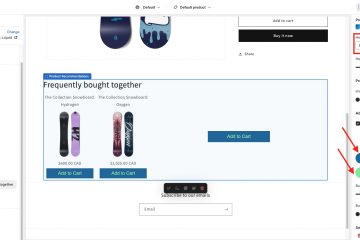
let’s create a scheduled banner for your storefront. Click the Banner Templates tab and then ‘New Template’. PlusSale offers several preset designs. You can play around with different design and create your own custom design. This preview updates as you Read more…
By PlusApps Team, 5 daysFebruary 26, 2026 ago
PlusSale

How to set up Mailgun in PlusSale

To find your API key for Mailgun, log into your Mailgun dashboard, go to API Security under your profile, and click create key. Give your key a developer role and copy your API key. Then back to PlusSale. Goto settings Read more…

By PlusApps Team, 5 daysFebruary 26, 2026 ago
PlusSale

Overview of PlusSale User Interface

When you open PlusSale, you’ll see few main tabs. First is the Campaign Table – your command center showing all scheduled campaigns in a calendar view. Next, Email Templates where you create promotional emails and select your email providers. Then Read more…

By PlusApps Team, 5 days ago
PlusCheckout

Step by Step guide for PlusCheckout Post-Purchase Offer

In this example, I configured ‘3p Fulfilled Snowboard’ as my ‘item in the cart.’ As soon I saw that the ‘AI Suggestion‘ button had just appeared. Now, if I click the AI suggestion button, that will populate the Coss-Sell/Upsell products Read more…

By PlusApps Team, 2 years ago
PlusCheckout

How to Add/Configure Product Recommendation

Introduction: Product recommendation, as the name suggests, lets your shoppers buy the recommended products you configure. The difference between Shopify built-in product recommendations embedded in the Shopify theme or other themes is that you can configure your product of choice Read more…

By PlusApps Team, 2 yearsNovember 21, 2023 ago
PlusCheckout

How to create a Product Bundle

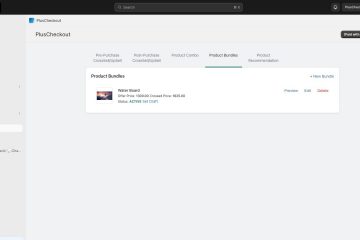
Introduction: Product bundles create bundle products from multiple products from your store. These bundle products will show in your product section in the Shopify admin area or in your product catalog, unlike product combo, which is virtual in nature. The Read more…

By PlusApps Team, 2 yearsNovember 19, 2023 ago
PlusCheckout

How to add a Product Combo

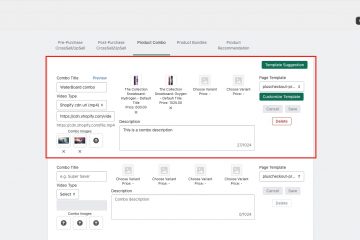
Introduction: The product combo feature offers the ability to create a virtual combo product. The benefit of a virtual product is that you do not need to create a physical combo product and manage a separate inventory of that product. Read more…

By PlusApps Team, 2 yearsNovember 18, 2023 ago
PlusCheckout

How to add a Post-Purchase Coss-Sell/Upsell

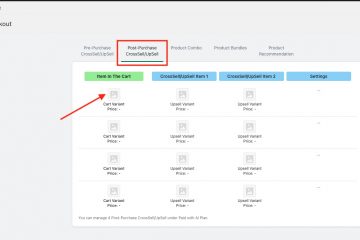
Introduction: Post-Purchase CrossSell/UpSell lets you offer a product to your seller after they have paid the cart product in the purchase flow. Here is the step-by-step process for how you can configure a Post-Purchase Coss-Sell/Upsell. To follow the instruction in Read more…

By PlusApps Team, 2 yearsNovember 18, 2023 ago
PlusCheckout

How to add a Pre-Purchase Coss-Sell/Upsell

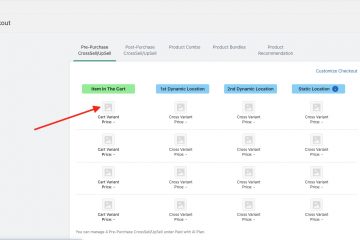
Introduction: In the Pre-Purchase CrossSell/UpSell section, you can define CrossSell and UpSell products based on ‘what users add a product in their shopping cart.’ Please note that this section is only available for Shopify Plus users, so you may only Read more…

By PlusApps Team, 2 yearsNovember 17, 2023 ago
PlusPage Creative Sections

How To Create A Single Product Page By PlusPage With Promo Or Product Video (Youtube, Vimeo Or Shopify Hosted MP4)

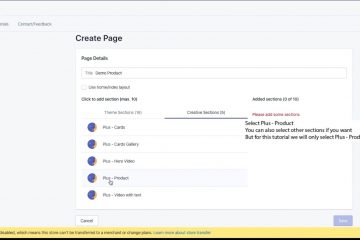
Please note that this tutorial is to add a product or promo video when you created page with PlusPage in your Shopify store. If you are a visual learner please follow this video. Written Steps: First click on “Create New Read more…

By PlusApps Team, 6 yearsMarch 29, 2020 ago

Posts pagination

1 2 Next

Join Our Mailing List

Get Notified about update and new PlusPage Custom Sections

Sendinblue Newsletter
loader
All Rights Reserved, PlusApps.dev